
PROBLEM
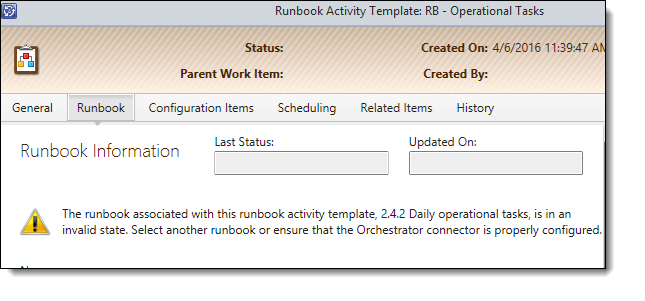
A common issue I run in to a lot with SCSM automation is the Following error message:
The Runbook associated with this Runbook activity template <Name of template>, is in an invalid state. Select another Runbook or ensure that the Orchestrator connector is properly configured
CAUSE
This is caused by the Runbook being in an invalid state within SCSM, not within Orchestrator.
To see what I mean, within SCSM, Navigate to the Library workspace and select the Runbooks node.
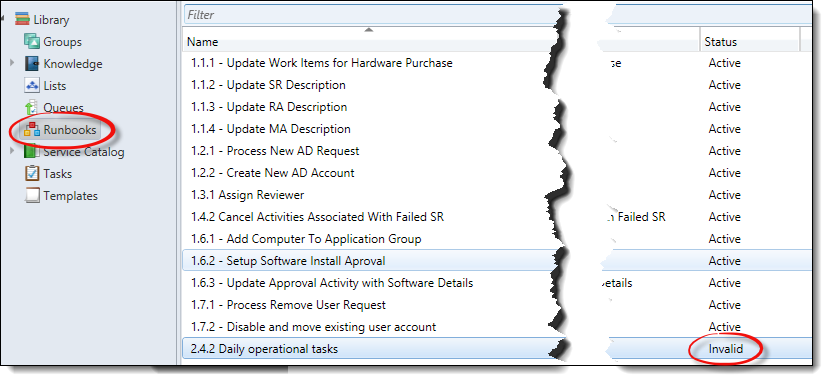
When a Runbook within SCSM is in an invalid state, it is usually because the input Properties for the Initialize activity within the Runbook itself has been changed since the first sync of the Orchestrator connector and SCSM does not know what to do with the new properties. (or the removal of the old ones)
SOLUTION
The solution is fairly straight forward.
Within the SCSM Console, select the Runbook that has a status of “Invalid” and select Delete.
This will delete it from the SCSM Console and not Orchestrator.
Then re-run the Orchestrator Connector:
- Select the Administration workspace
- Select the Connectors node
- Selecting the Orchestrator connector you need to re-run
- Click Synchronize Now in the tasks pane
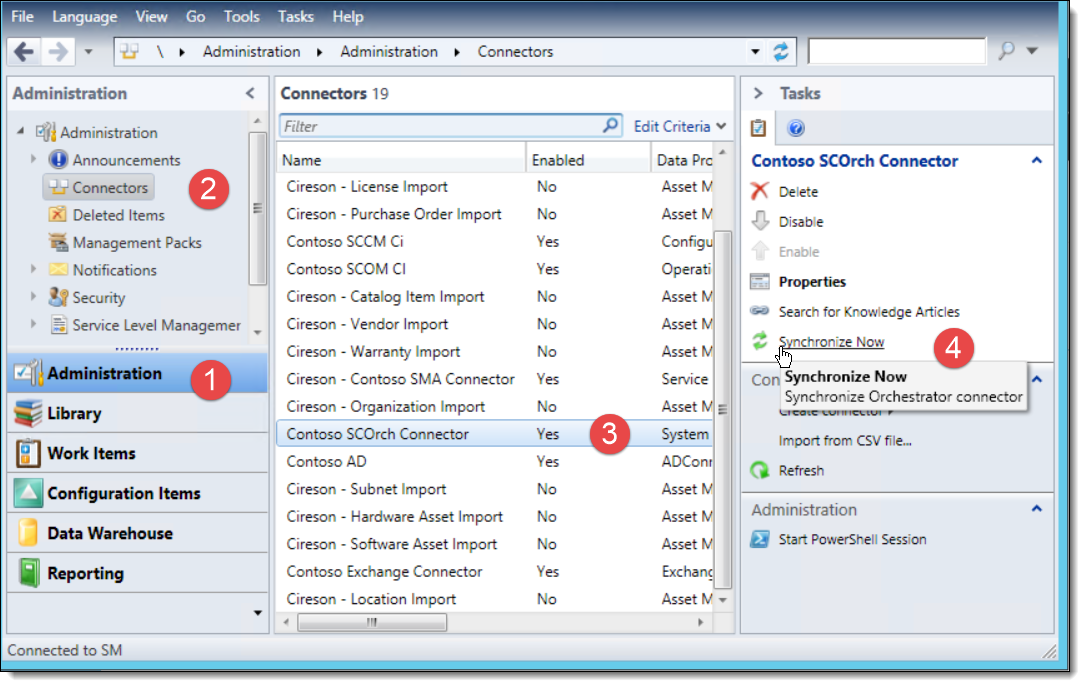
Re-run the Orchestrator Connector
Once the connector has finished it should all be back to normal.