

Every time I install or Re-Install Microsoft’s System Center Service Manager 2016 an above, I hit the same error when creating a new AD Connector and I have just realised I’ve never written a blog about it or how to fix it.
SECENARIO:
After installing SCSM 2016, 1801 or 1807, you will want to create an AD Connector to populate user Configuration Items in to the CMDB and use them throughout the SCSM product.
Most people will want to limit the User or Computer accounts to a specific OU.
(Side Note: Don’t import computer accounts via the AD connector. I’ll explain in another blog post one day)
To select the OU that is to be used, most administrators want to browse to it so they do not make a spelling mistake or select the wrong OU. So the Browse button is usually selected to choose the OU.
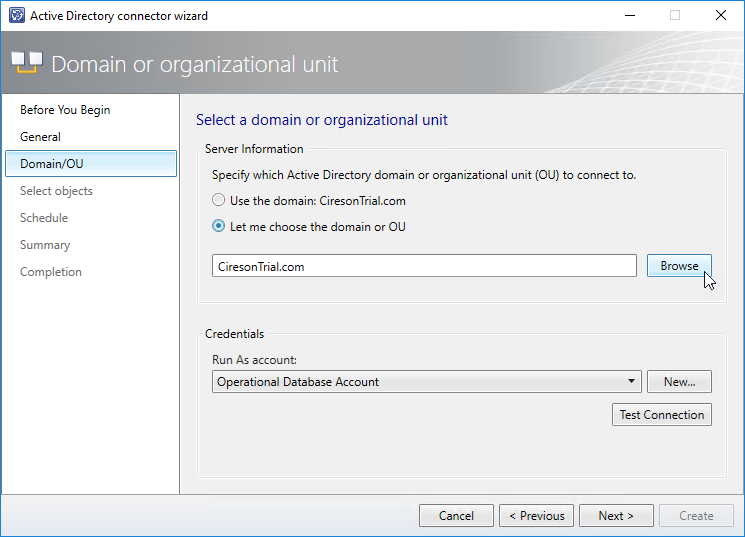
When the browse button is clicked, an error message is displayed.

Well that’s a useful error message. NOT!
CAUSE:
The issue is actually a known issue with Service Manager 2016 and is documented here in the release notes. Surprisingly, the release notes for 1807 do not mention the issue but I can confirm that the issue still does exist in 1807.
SOLUTION:
The solution is actually pretty simple and it’s annoying that Microsoft have not added it to the prerequisites for installation of SCSM.
In short, install Microsoft Visual C++ 2012 Redistributable on the machine that is running the console. Note: If you want to edit AD Connectors from multiple machines, it will need to be installed on each machine that has the console installed.
You can get the distributable here: https://www.microsoft.com/en-us/download/details.aspx?id=30679
Hope this helps someone.